2015 13-inch MacBook Air with Omarchy
Fourteen Early 2015 owner reports establish a workable Linux laptop with unusually good Arch coverage. Omarchy reaches the desktop, but Broadcom Wi-Fi, the camera and suspend still need informed maintenance.
MacBookAir7,2 is not enough to identify this machine: Apple also used it for the 2017 Air. Look for Early 2015; part numbers MJVE2, MJVG2, MMGF2 or MMGG2; or the base Core i5-5250U.
Bottom line
Omarchy is viable on the Early 2015 13-inch Air, but it is not maintenance-free. Two direct Omarchy owners reached the desktop, and the display-scaling defect reported in August was later fixed by an Omarchy update. The remaining risks are structural: BCM4360 Wi-Fi and the FaceTime camera use out-of-tree drivers, while suspend has regressed or needed workarounds in several Linux reports.
Should you use or buy it?
If you already own one, keep a snapshot and a USB network fallback before kernel updates, then test Wi-Fi, camera and repeated lid-close cycles after each major update. If you are buying one, get 8 GB of memory, verify the battery and exact year, and pay only enough to justify a dual-core laptop whose network and camera support live outside the kernel.
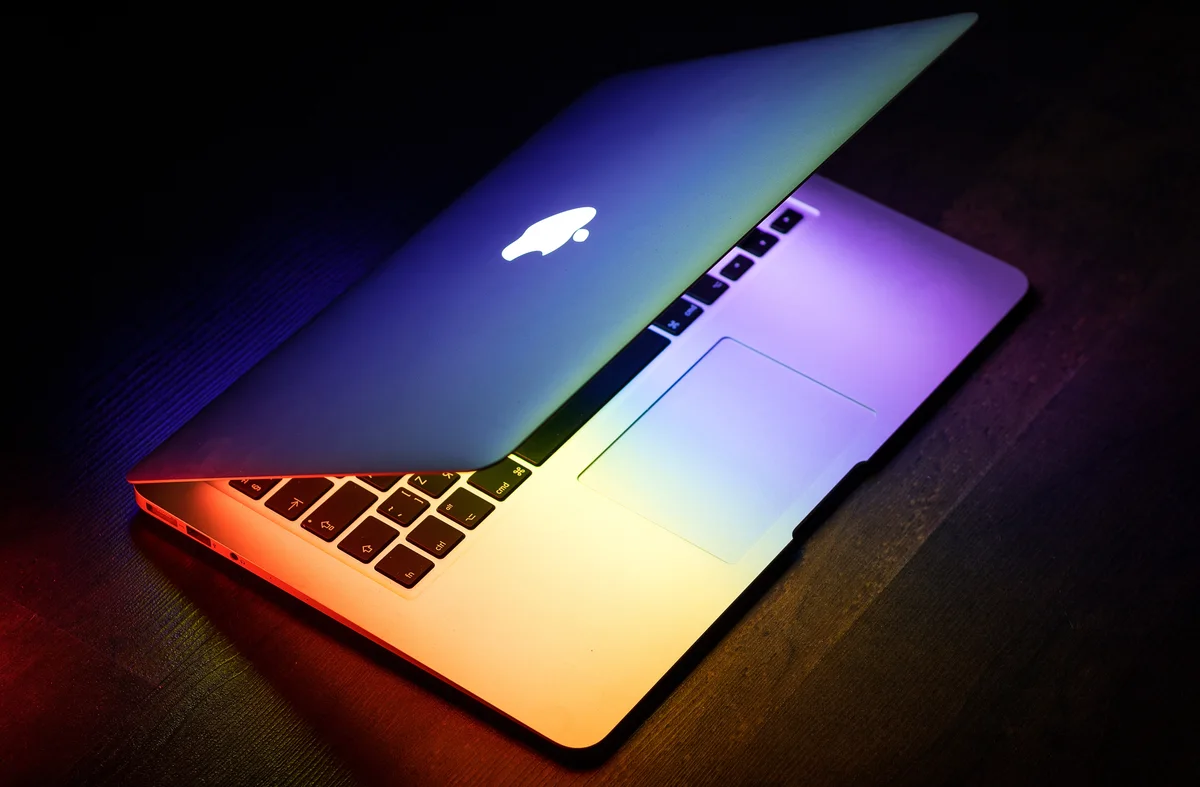
.jpg)
- Screen size
- 13.3 inchesSource
- Dimensions (W × D × H)
- 12.8 × 8.94 × 0.11–0.68 inchesSource
- Weight
- 2.96 poundsApple says weight varies by configuration and manufacturing process.Source
- Release
- Available March 9, 2015Source
- Launch price
- $999–$1,199128GB or 256GB configurationApple updates the MacBook Air
- Used asking price
- $99.99–$143.43Functional examples; one $66 as-is machine with a failed battery was excluded from the displayed range · used and refurbished · observed Sept. 2, 2026 · 5 listingsEarly 2015 MacBook Air asking-price sample
Current figures are dated asking prices, not completed sales or appraisals.
Compatibility
- Working reports
- Mixed results
- Evidence, no verdict
- Not applicable
Before you buy
Match the seller's exact model and configuration to the findings above. Check the return period, condition, included charger and delivered price before ordering.
- Check listings at ebay.com · price source checked Sept. 2, 2026
These are the sources behind the dated asking prices, not a live stock check. Searches and catalogs may include other configurations. We have not tested or endorsed individual listings.
These links are untagged; Omarchy Hardware earns no referral commission from them. How we handle commercial links.
Detailed findings
Install and boot
Two owners reached Omarchy 4.0.x desktops, and owners have installed Arch, Debian, Fedora, Ubuntu and CachyOS on the same release. EFI boot works; older reports show that GRUB may not preserve a convenient macOS entry even when Apple's Option-key picker still works.
In practice Installation itself is well established. A dual-boot plan needs separate care, and recovery media should include a network path that does not depend on the built-in Broadcom adapter.
Sources Early 2015 MacBook Air Wi-Fi after Linux 7.2, Early 2015 MacBook Air display scaling on Omarchy, Early 2015 MacBook Air Arch install guide, Early 2015 MacBook Air dual-boot failure, Fedora 21 on an Early 2015 MacBook Air, Fedora 21 on a 13-inch Early 2015 MacBook Air, Early 2015 MacBook Air Linux setup notes, ArchWiki Apple laptop compatibility table
Desktop and graphics
Intel HD Graphics 6000 drives working Omarchy and Arch-family desktops on the internal panel. Older Debian and Arch/Openbox owners needed Xorg or compositor changes, but the August Omarchy scaling report was later closed after its owner said an update fixed the problem.
In practice Current desktop operation is established. The older Xorg fixes document how support evolved; they are not instructions for today's Hyprland session.
Sources Early 2015 MacBook Air display scaling on Omarchy, Early 2015 MacBook Air Linux setup notes, Early 2015 MacBook Air Arch install guide, Arch Linux on an Early 2015 13-inch MacBook Air, Early 2015 MacBook Air CachyOS report
Internal display and brightness
The 1440-by-900 panel and brightness controls work in current Arch-family reports. Omarchy initially made several dialogs too large, but the reporting owner said an Aug. 30 update fixed the defect; the project did not identify the exact fixing release.
In practice Do not apply the old scale-of-1 workaround unless the oversized-dialog problem returns. The resolution is now the latest direct Omarchy result.
Sources Early 2015 MacBook Air display scaling on Omarchy, Early 2015 MacBook Air Arch install guide, Early 2015 MacBook Air CachyOS report, Early 2015 13-inch MacBook Air specifications
Keyboard, hotkeys and backlight
Arch owners report the keyboard, function keys, keyboard backlight and display-brightness controls working. Older Debian and Fedora notes required mapping or helper software, showing a historical setup cost rather than a current failure.
In practice The evidence favors working input controls on Arch. Neither direct Omarchy report inventories every key, so this is an Arch result rather than an Omarchy guarantee.
Sources Early 2015 MacBook Air Arch install guide, Early 2015 MacBook Air Linux setup notes, Fedora 21 on an Early 2015 MacBook Air, Early 2015 13-inch MacBook Air specifications
Touchpad and pointing
The exact Early 2015 Arch guide lists the trackpad as working, and Apple's specification identifies the built-in Multi-Touch trackpad.
In practice This is one direct Linux working report. It does not enumerate gestures or establish current Omarchy gesture behavior.
Sources Early 2015 MacBook Air Arch install guide, Early 2015 13-inch MacBook Air specifications
Fingerprint and biometrics
Apple's specification lists no fingerprint reader or other biometric sensor on this model.
In practice There is no biometric device for Omarchy to support; use a password or another software authentication method.
Wi-Fi and Bluetooth
BCM4360 works with Broadcom's wl driver, but owners across Arch, Debian and Omarchy report failures after kernel or package changes. Recovery has required the matching kernel headers, an LTS driver pair or a patched DKMS build, depending on the failure.
In practice Arch now ships broadcom-wl-dkms 6.30.223.271-49, which builds against Linux 7.2, but the affected Omarchy owner has not reported an exact-machine retest with that stable package. An open Omarchy pull request would switch the project to the DKMS package; it has not shipped.
Omarchy has an open DKMS packaging change. The pull request would replace the kernel-specific Broadcom package with broadcom-wl-dkms. Its open state is not a released fix. Project source
Sources Early 2015 MacBook Air Arch install guide, Early 2015 MacBook Air linux-zen Wi-Fi recovery, Early 2015 MacBook Air intermittent Wi-Fi boot, Early 2015 MacBook Air Linux setup notes, Debian 13 Broadcom recovery on MacBookAir7,2, Early 2015 MacBook Air Wi-Fi after Linux 7.2, Arch broadcom-wl-dkms package, Proposed Omarchy switch to broadcom-wl-dkms, Omarchy Broadcom Wi-Fi handling for pre-T2 Macs
Speakers, microphone and audio
The exact Early 2015 Arch guide lists internal audio as working. None of the other retained exact-model owners reports an audio failure.
In practice That is positive Arch evidence, not a current Omarchy speaker-and-microphone test. The absence of another complaint is not additional proof.
Sources Early 2015 MacBook Air Arch install guide, Early 2015 13-inch MacBook Air specifications
Camera
Three exact Early 2015 owners report working video after installing the reverse-engineered FaceTime HD driver and extracted Apple firmware. The camera is not an in-kernel, works-out-of-the-box device, and one owner linked the loaded module to frequent hibernation hangs.
In practice The active facetimehd project merged a Linux 7.2 build fix on Aug. 25. That keeps the driver buildable; it does not remove the firmware step or establish camera and suspend behavior on current Omarchy.
The camera project supports Linux 7.2 builds. The driver remains out of tree and still depends on firmware extracted from Apple software. Project source
Sources Early 2015 MacBook Air Arch install guide, Early 2015 MacBook Air camera and hibernation, Early 2015 MacBook Air Ubuntu camera recovery, FaceTime HD Linux 7.2 build support
Suspend and resume
Results span dark-screen resumes, immediate wakes, partial suspend and hibernation hangs with the camera module loaded. The Arch guide marked suspend working in 2021, then moved it back to troubleshooting in 2023; a 2026 CachyOS owner calls suspend only partially working.
In practice Sleep remains the largest daily-use risk. Kernel choice, wake-source changes, desktop and camera-driver state can all change the result, and no retained Early 2015 report establishes reliable current Omarchy suspend.
Sources Early 2015 MacBook Air Linux setup notes, Early 2015 MacBook Air camera and hibernation, Early 2015 MacBook Air Arch install guide, Arch Linux on an Early 2015 13-inch MacBook Air, Early 2015 MacBook Air CachyOS report
External displays and docks
Apple rates the Thunderbolt 2 and Mini DisplayPort path for an external display up to 3840 by 2160 while the internal panel remains active.
In practice That is a manufacturer specification, not a Linux result. No retained Early 2015 report tests an external monitor, adapter or dock on Omarchy.
Battery, power and thermals
Period macOS review units ran 10 hours, 20 minutes at roughly 150 nits and 14 hours at 100 nits. An early Fedora owner reported roughly seven to nine hours after power tuning, while a 2026 CachyOS owner found a charging-state regression on the latest kernel that disappeared on LTS.
In practice The review figures describe new batteries under different protocols, not current Omarchy runtime. Battery health, kernel choice and reliable suspend will matter more than the original rating on an 11-year-old machine.
Sources Early 2015 13-inch MacBook Air Core i7 review, Early 2015 13-inch MacBook Air base-model review, Fedora 21 on a 13-inch Early 2015 MacBook Air, Early 2015 MacBook Air CachyOS report, Early 2015 13-inch MacBook Air specifications
Daily use
Buy the 8 GB configuration
The launch configurations had 4 GB of soldered memory; 8 GB was a configure-to-order option and is the ceiling
Four gigabytes can boot and run a light Linux desktop, but it leaves little room for current browsers and development tools. Memory cannot be upgraded later, so an inexpensive 4 GB listing is not equivalent to the 8 GB machine.
Sources Early 2015 13-inch MacBook Air specifications, Apple updates the MacBook Air, Early 2015 MacBook Air Arch install guide, Early 2015 13-inch MacBook Air base-model review
The display is usable, not modern
Two period review units measured 310 to 334 nits and only 60% to 66% of sRGB
The 16:10 shape remains practical, but 1440 by 900, narrow color coverage and TN viewing angles trail modern laptop panels. The August Omarchy scaling fault is no longer standing advice: the reporting owner says an update fixed it.
Sources Early 2015 13-inch MacBook Air specifications, Early 2015 13-inch MacBook Air Core i7 review, Early 2015 13-inch MacBook Air base-model review, Early 2015 MacBook Air display scaling on Omarchy
Plan recovery before updating
The machine has no built-in Ethernet, and its BCM4360 depends on the out-of-tree wl driver
Several owners lost Wi-Fi after kernel or package changes. A phone-tethering cable, USB Ethernet adapter or known-working Thunderbolt Ethernet adapter belongs in the maintenance kit before an update, not after the built-in adapter disappears.
Sources Early 2015 13-inch MacBook Air specifications, Early 2015 MacBook Air Wi-Fi after Linux 7.2, Debian 13 Broadcom recovery on MacBookAir7,2, Early 2015 MacBook Air intermittent Wi-Fi boot, Fedora 21 on an Early 2015 MacBook Air
Treat dual boot as a separate job
Linux can install and macOS can remain on disk, but boot-menu results vary
One Arch owner lost a usable macOS boot entry after Linux installation. Two Fedora owners retained access through Apple's Option-key picker or repaired GRUB separately. Preserve a recovery path and verify both systems before changing partitions again.
Sources Early 2015 MacBook Air dual-boot failure, Fedora 21 on an Early 2015 MacBook Air, Fedora 21 on a 13-inch Early 2015 MacBook Air
Performance
Browsing, writing and light development
A period base-model review found responsive office performance, but the dual-core processor and memory ceiling are now the hard limits
The Core i5, 4 GB review unit scored 5,783 in Geekbench 3 and finished its spreadsheet workload in 4 minutes, 3 seconds under OS X. Those old results establish the common configuration, not current Omarchy speed; prefer 8 GB for a browser-heavy workload.
Sources Early 2015 13-inch MacBook Air base-model review, Early 2015 13-inch MacBook Air specifications, Early 2015 MacBook Air Arch install guide
Sustained CPU work
The optional Core i7 scored 305 in macOS and 296 in Windows Cinebench R15 multicore tests
Repeated runs held performance once the fan reached speed, with load noise up to 46.3 dB(A) and a 43.8 C upper-surface hotspot. Modern builds, virtual machines and large data jobs will feel the two-core design even when cooling holds.
Sources Early 2015 13-inch MacBook Air Core i7 review, Early 2015 13-inch MacBook Air specifications
Older games and integrated graphics
Intel HD Graphics 6000 handled period games only at modest settings
A base Core i5 review measured World of Warcraft at 32 frames per second at 1440 by 900 and its Good preset under OS X. A separate Core i7 review reached 34.5 fps in Tomb Raider's normal preset under Windows. Neither result is a Linux or Omarchy gaming test.
Sources Early 2015 13-inch MacBook Air base-model review, Early 2015 13-inch MacBook Air Core i7 review, Early 2015 13-inch MacBook Air specifications
Travel and battery use
New review units lasted 10 hours, 20 minutes at roughly 150 nits and 14 hours at 100 nits in different macOS web tests
An early Fedora owner later estimated seven to nine hours after power tuning. Those results do not predict an aging battery, and the unresolved Linux suspend record makes lid-closed reliability as important as awake runtime.
Sources Early 2015 13-inch MacBook Air specifications, Early 2015 13-inch MacBook Air Core i7 review, Early 2015 13-inch MacBook Air base-model review, Fedora 21 on a 13-inch Early 2015 MacBook Air, Early 2015 MacBook Air camera and hibernation
Changes over time
-
Fedora owner establishes the first working baseline
An exact Early 2015 owner documented EFI dual boot, Broadcom Wi-Fi and a working Thunderbolt Ethernet adapter, with GRUB changes for brightness and keyboard layout.
-
LTS kernel and matching driver stop intermittent Wi-Fi boots
An Arch owner whose adapter failed on roughly four of five boots reported stable Wi-Fi after switching to linux-lts and broadcom-wl-lts.
-
Debian setup exposes Apple-specific work
An exact 2015 owner documented Broadcom drops, immediate wake, black-screen resume and the display and power tools used to make the machine practical.
-
Arch install leaves macOS without a usable boot entry
Linux installed and booted, but one dual-boot owner could no longer start the intact macOS partition through the expected entry.
-
Camera works with a hibernation cost
An i5-5250U owner reported working video but said lid-close hibernation hung at least half the time while the camera module was loaded.
-
Arch guide records a broad working baseline
An exact i5-5250U guide listed installation, graphics, screen controls, keyboard, trackpad, Wi-Fi, audio, Bluetooth and webcam as working; suspend later returned to its troubleshooting list.
-
Arch guide moves suspend back to troubleshooting
The maintained exact-model guide had marked suspend working in 2021, then changed it to 'used to work' in 2023 and retained that warning through its latest update.
-
Ubuntu owner confirms video after driver and firmware setup
The camera was the only missing component until the owner installed facetimehd firmware and its out-of-tree kernel module, then confirmed video playback.
-
Matching Debian headers restore the Broadcom driver
Wi-Fi disappeared on newer kernels because their headers were unavailable; installing matching image and header meta-packages restored wl and the wireless interface.
-
CachyOS LTS kernel avoids a battery-state regression
The current kernel misreported charging state while LTS did not. The same owner revised suspend from broken to partially working, with power-button wake still required.
-
Omarchy's broader Broadcom quirk excludes BCM4360
The merged change targets brcmfmac devices and explicitly leaves the MacBookAir7,2 BCM4360 on its separate wl driver path.
-
Scale of 1 restores usable Omarchy dialogs
An Early 2015 owner replaced automatic scaling after Quickshell dialogs extended beyond the 1440-by-900 screen.
-
FaceTime HD driver gains Linux 7.2 build support
The active camera project merged a kernel-API update. The change supports building the driver; it is not an exact-model Omarchy result.
-
Omarchy update resolves the scaling report
The same owner who documented oversized dialogs said the latest Omarchy update fixed the problem. The exact fixing release was not identified.
-
Linux 7.2 Wi-Fi regression and recovery documented
The kernel-specific module disappeared after update and the -48 DKMS package failed to compile; the owner patched the DKMS source and restored scanning and connectivity.
-
Omarchy DKMS switch remains open
A pull request proposes replacing broadcom-wl with broadcom-wl-dkms in Omarchy's Mac paths. It has not merged or shipped.
-
Compatible Broadcom DKMS revision reaches stable Arch
Arch moved broadcom-wl-dkms 6.30.223.271-49 into stable Extra. The package record does not establish an exact-machine Omarchy retest.
Sources Arch broadcom-wl-dkms package
Sources
Omarchy reports are direct results. Arch, Arch-based and other Linux reports are labeled separately and used only as evidence of hardware or driver behavior that may carry over. Shared-identifier and related-model reports are context and do not enter the exact-model count.
- Early 2015 MacBook Air Wi-Fi after Linux 7.2Open source
Field report on GitHub · Omarchy · Aug. 31, 2026
Early 2015 model and BCM4360, before-and-after kernel state, DKMS build failure and owner-confirmed patched recovery on Omarchy 4.0.2.
- Early 2015 MacBook Air display scaling on OmarchyOpen source
Field report on GitHub · Omarchy · Aug. 23, 2026
Exact A1466 Early 2015 report: scale 1 initially restored oversized dialogs, and the same owner said an Aug. 30 Omarchy update fixed the defect.
- Early 2015 MacBook Air Arch install guideOpen source
Field report on GitHub · Arch Linux · Dec. 2, 2021
The i5-5250U establishes the release; the maintained checklist records working components and the 2023 change from working suspend to unresolved suspend.
- Early 2015 MacBook Air linux-zen Wi-Fi recoveryOpen source
Field report on Arch Linux Forum · Arch Linux · Jan. 30, 2021
Exact Early 2015 report in which Broadcom DKMS failed until the owner installed headers matching the linux-zen kernel.
- Early 2015 MacBook Air dual-boot failureOpen source
Field report on Arch Linux Forum · Arch Linux · March 23, 2020
Exact Early 2015 machine that booted Arch but lost a usable boot path to the intact macOS partition.
- Arch Linux on an Early 2015 13-inch MacBook AirOpen source
Field report on owner sites · Arch Linux · Feb. 9, 2017
Exact release with Broadcom update breakage, dark-screen lid resume and an owner-confirmed compositor fix for interactive rendering lag.
- Early 2015 MacBook Air intermittent Wi-Fi bootOpen source
Field report on Arch Linux Forum · Arch Linux · Dec. 16, 2016
Exact Early 2015 owner reported Wi-Fi failing on most boots and confirmed an LTS kernel and matching Broadcom driver pair as the recovery.
- Early 2015 MacBook Air camera and hibernationOpen source
Field report on GitHub · Arch-based · Feb. 5, 2021
The i5-5250U establishes the release; the owner reports working video and frequent hibernation hangs while the camera module is loaded.
- Early 2015 MacBook Air CachyOS reportOpen source
Field report on GitHub · Arch-based · July 8, 2026
Exact Early 2015 machine with an LTS-only battery-state recovery and suspend revised from broken to partially working; speculative GPU flags are excluded.
- Early 2015 MacBook Air Linux setup notesOpen source
Field report on GitHub · other Linux · March 9, 2017
Owner-maintained Debian notes explicitly identify the 2015 model and cover EFI install, Wi-Fi, display controls, suspend and power tuning.
- Debian 13 Broadcom recovery on MacBookAir7,2Open source
Field report on owner sites · other Linux · Nov. 19, 2025
Exact i5 MacBookAir7,2 report tracing lost Wi-Fi to missing matching headers and confirming recovery after installing current image and header meta-packages.
- Early 2015 MacBook Air Ubuntu camera recoveryOpen source
Field report on Reddit · other Linux · May 3, 2025
Exact Early 2015 report: other hardware worked, and the owner confirmed video after installing FaceTime HD firmware and the bcwc_pcie module.
- Fedora 21 on an Early 2015 MacBook AirOpen source
Field report on owner sites · other Linux · April 5, 2015
Exact Early 2015 owner confirmed EFI dual boot, Thunderbolt Ethernet, Broadcom Wi-Fi and GRUB fixes for brightness and keyboard layout.
- Fedora 21 on a 13-inch Early 2015 MacBook AirOpen source
Field report on owner sites · other Linux · May 2, 2015
Exact release with working EFI installation, failed GRUB macOS entries but retained Option-key boot, and a later owner estimate of seven to nine hours after power tuning.
- Early 2015 13-inch MacBook Air specificationsOpen source
Manufacturer specification on Apple · March 9, 2015
Official configuration, display, memory, battery, dimensions, camera, input, wireless and port specification.
- MacBook Air model identificationOpen source
Manufacturer specification on Apple · Sept. 2, 2026
Official mapping of the shared MacBookAir7,2 identifier to Early 2015 and 2017 releases and their distinct part-number families.
- Early 2015 13-inch MacBook Air base-model reviewOpen source
Original measured review on Laptop Mag · May 21, 2015
Measured Core i5, 4 GB and 128 GB launch configuration with display, office, storage, graphics and macOS battery results.
- Early 2015 13-inch MacBook Air Core i7 reviewOpen source
Original measured review on Notebookcheck · June 10, 2015
Measured optional Core i7, 8 GB and 256 GB configuration; operating system and configuration are kept with each cited result.
- ArchWiki Apple laptop compatibility tableOpen source
Project documentation on ArchWiki · Sept. 2, 2026
Current project table lists the Early 2015 MacBookAir7,2 and links the exact Arch guide; it is project context, not another owner report.
- FaceTime HD Linux 7.2 build supportOpen source
Hardware support project on GitHub · Aug. 25, 2026
Current out-of-tree camera driver change for Linux 7.2; the project still requires separately extracted Apple firmware.
- Omarchy Broadcom Wi-Fi handling for pre-T2 MacsOpen source
Project code on GitHub · Aug. 10, 2026
Merged project record that explicitly excludes BCM4360 from the brcmfmac quirk because this Mac uses the separate wl driver.
- Proposed Omarchy switch to broadcom-wl-dkmsOpen source
Project code on GitHub · Sept. 1, 2026
Open pull request that would replace Omarchy's kernel-specific Broadcom package with the DKMS package; not a merged or released fix.
- Arch broadcom-wl-dkms packageOpen source
Official compatibility record on Arch Linux · Sept. 2, 2026
Official stable Extra record for 6.30.223.271-49; establishes package availability, not successful installation or an exact-machine retest.
- Apple updates the MacBook AirOpen source
Manufacturer specification on Apple · March 9, 2015
Official availability date and launch prices for the two 13-inch storage configurations.
- Early 2015 MacBook Air photographOpen source
Product photograph on Wikimedia Commons
Photograph by Ryan Morse, licensed CC BY 2.0. Resized and converted to WebP.
- Early 2015 MacBook Air asking-price sampleOpen source
Dated market snapshot on eBay · Sept. 2, 2026
Five exact-generation asks were reviewed. The displayed range excludes one $66 machine with a failed battery, dents and missing screw cover.